For customers
Find your purchased template
Open your purchase from your access email or verify an Etsy order to get started.
Your editable design opens in Templett. If your purchase came from Etsy, downloading the seller’s instruction file is not the same as opening the template in the editor.
Use your access email
- Look for the Templett access email in the inbox associated with your purchase. Check spam or junk, too.
- Follow the access link and complete the account setup or sign-in steps shown.
- Open the purchased design from your templates in the editor.
If you already have a Templett account, sign in with that account and check your templates. Avoid creating a seller account to access a purchase.
Find an Etsy purchase without the email
- Open Access your templates.
- Enter the Etsy receipt number and Email used at Etsy checkout. Find the receipt in your Etsy purchase details.
- Select Continue and follow the verification prompts.
- If prompted to create your Templett account, choose and confirm a password. If prompted to sign in, use your existing Templett account.
This verification flow is for Etsy purchases. For another shop or selling platform, use its Templett access email or ask the seller for help.
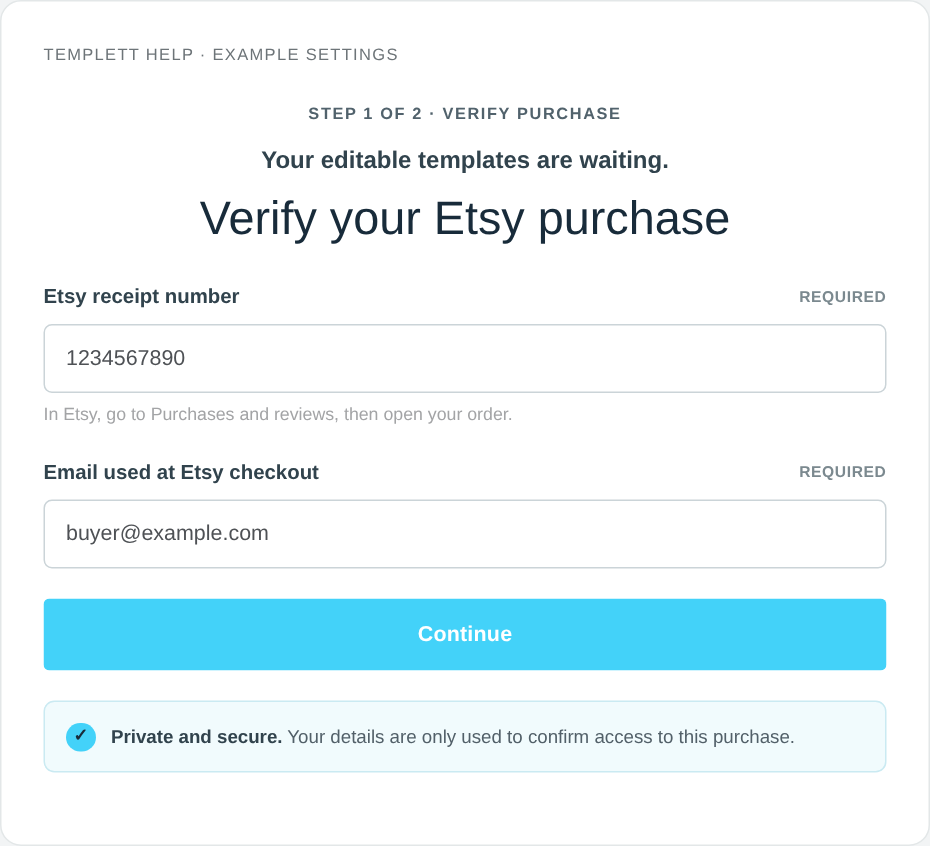
Example purchase-verification screen with sample details. Select the image to view it full size.
If the design is missing
Follow Troubleshoot access to your templates. Include the shop name and receipt number when contacting the seller or support; never send your password.
Once your design opens, see Personalize your invitation.
What to do next
Follow the customer guide to personalize, save, and download your design. If you see seller subscription plans instead of your purchase, see Switch to customer access.