For customers
Download your template as a JPG
Export a JPEG image for a printer or for sharing.
Create the image
- Save the template and select , then JPG.
- Under , choose 300 dpi (print) for a print file or 96 dpi (web) for screen use.
- Enable if your printer requires it.
- Choose the pages you need, then select Download.
Multiple selected pages download together as separate JPG files in a ZIP. Extract the ZIP before opening or uploading the individual images.
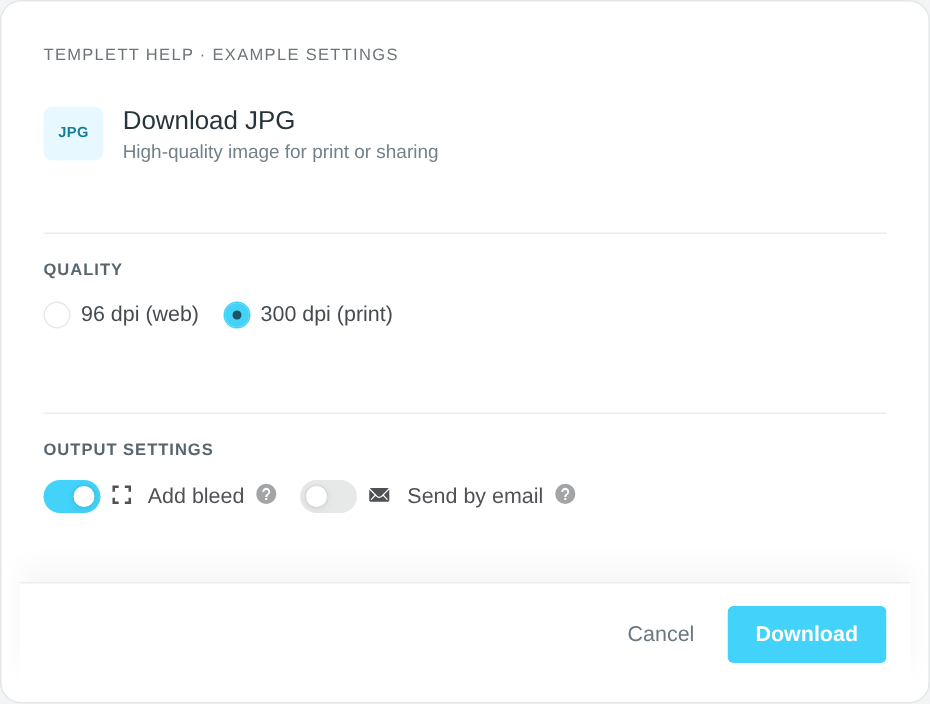
Example JPG settings with print quality selected. Select the image to view it full size.
Before sending it to a printer
Confirm that the printer accepts JPG and check its required dimensions. Bleed changes the exported dimensions; see Bleed and trim marks.
Choose PDF instead if you need Templett’s Save Paper layout or PDF trim marks.
If you cannot find the file
Check your browser’s downloads list and chosen download folder. Look for a ZIP if you selected multiple pages. If the editor reports a limit, see Reached your download limit?.