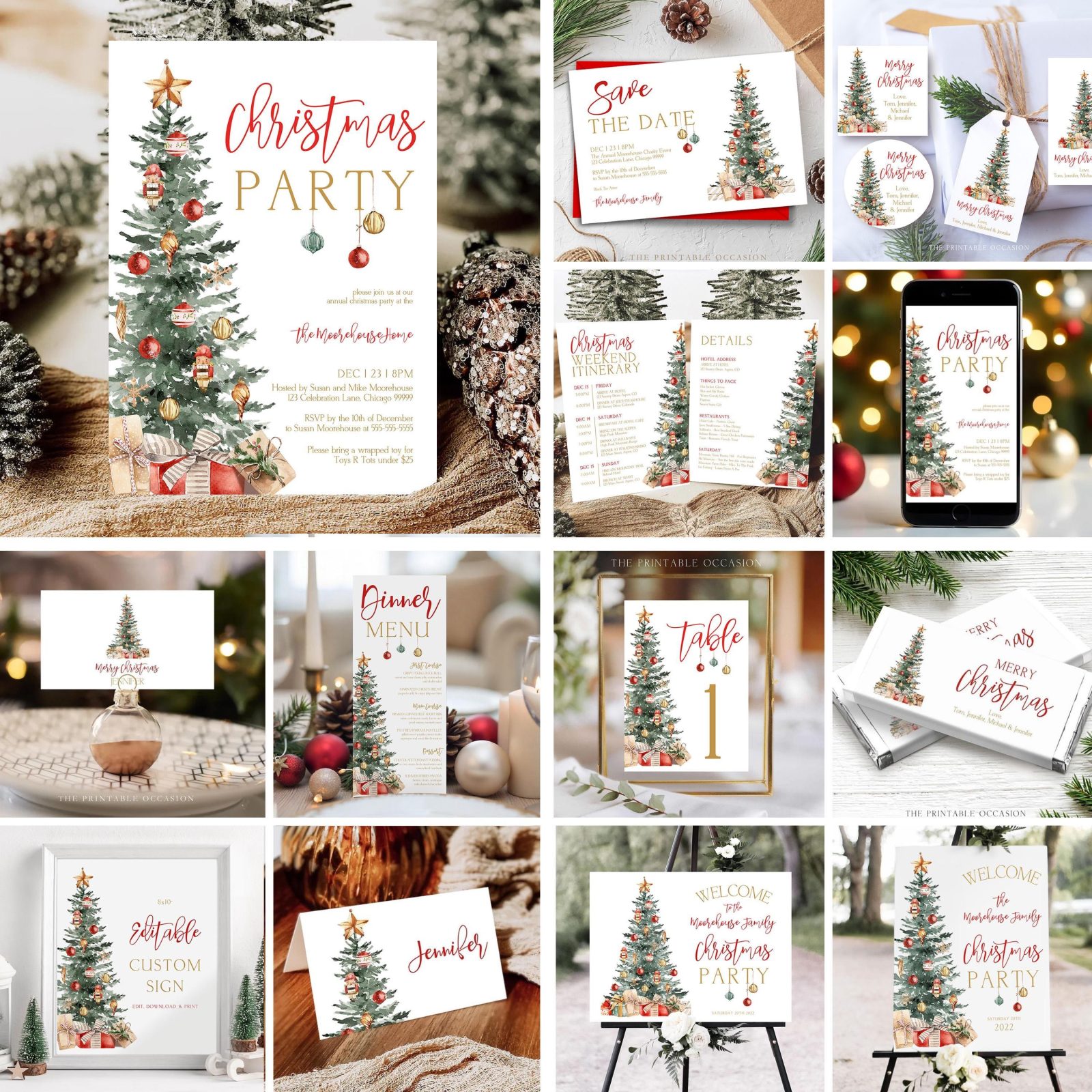
What if you could turn one Christmas template into five different products for your Etsy shop? Instead of starting from scratch every time you want to add a new listing, you can reuse the same colors, fonts, and decorative elements to create a coordinated holiday collection.
This approach saves time, helps your shop look more consistent, and makes it easier to expand your product range.
And with Templett, you can start with a ready-made design and customize it into several unique, sell-ready products.
Let’s look at how it works.
Why Starting With One Design Makes Sense
Creating new products can feel overwhelming when you’re constantly trying to come up with fresh ideas.
But here’s something worth remembering: you don’t need a completely different design concept for every product.
A single Christmas invitation already contains several elements you can reuse:
- A color palette
- A font combination
- Decorative illustrations
- A visual theme
- A recognizable design style
These elements can become the foundation for an entire product collection.
The key is to keep the overall style consistent while adjusting the layout and content for each product.
Step 1: Start With a Christmas Invitation
Let’s say you begin with a Christmas party invitation.
Choose a design with a clear layout, readable typography, and a holiday theme you can easily adapt.
For example, you might use:
- A cream background
- Dark green typography
- Red ribbon illustrations
- Small decorative stars
Together, these details create a festive but polished look.
Once you’re happy with the invitation, you have a starting point for the rest of your collection.
Design tip: Keep the main event details easy to read. A strong visual hierarchy will make the design more professional and easier to customize.
Step 2: Turn One Christmas Template Into a Welcome Sign
Your first additional product could be a matching welcome sign.
Instead of inventing a new style, reuse the invitation’s fonts, colors, and illustrations.
Then, adjust the layout for a larger format.
A welcome sign typically needs less text, so focus on one prominent headline and a few supporting details.
For example:
“Welcome to Our Christmas Party”
You can add the event date or host’s name underneath.
Keep plenty of space around the text so the sign feels balanced.
Now you have two coordinated products that shoppers can use for the same celebration.
Step 3: Create a Matching Holiday Menu
Next, use the same design elements to create a Christmas dinner menu.
Keep the background and decorative style consistent, but change the structure to accommodate food and drink sections.
You might include:
- Appetizers
- Main courses
- Side dishes
- Desserts
- Drinks
The most important thing here is readability.
Make sure each section is clearly separated and that customers have enough room to personalize the menu without making the design feel crowded.
This is also a good opportunity to simplify the artwork. Menus contain more information than invitations, so decorative elements should take up less space.
Step 4: Design Coordinating Place Cards
Now that you have an invitation, welcome sign, and menu, why not create matching place cards?
These are especially easy to coordinate because they require very little text.
Reuse your existing colors and typography, then add a small decorative detail from the original invitation.
For example, the red ribbon illustration could appear at the top of each place card.
The guest’s name should remain the main focus.
This creates a polished, coordinated look across the entire table setting.
Step 5: Add Holiday Gift Tags
For your fifth product, create a set of Christmas gift tags.
These can use the same illustrations and colors while introducing a slightly more playful layout.
You might include text such as:
“To:”
“From:”
“Merry Christmas!”
Consider creating several variations within the same collection so shoppers have options.
Just remember to keep enough writing space and make sure the text remains easy to read.
How to Turn One Christmas Template Into a Cohesive Collection
Now you have five products:
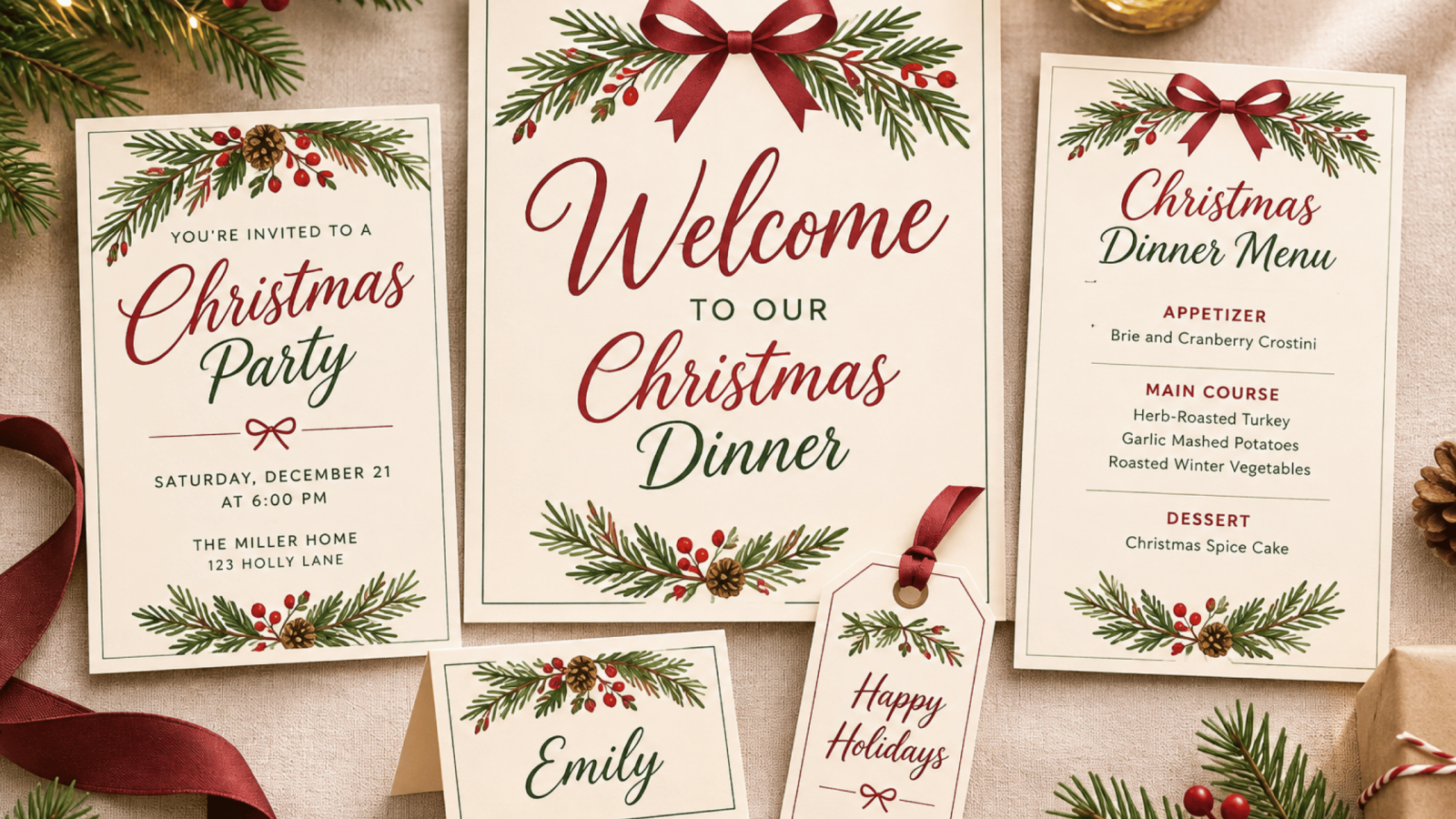
- Christmas party invitation
- Holiday welcome sign
- Christmas dinner menu
- Matching place cards
- Holiday gift tags
But what makes them feel like a collection instead of five unrelated designs?
The answer is visual consistency.
Try keeping the same two or three main colors, using the same font combination, and repeating a few decorative elements throughout the collection.
At the same time, adjust the layout to fit each product’s purpose.
For example, a welcome sign needs large text, while a menu needs a more structured layout.
The goal isn’t to make every design identical. It’s to make them feel like they belong together.
Create Your Collection With Templett
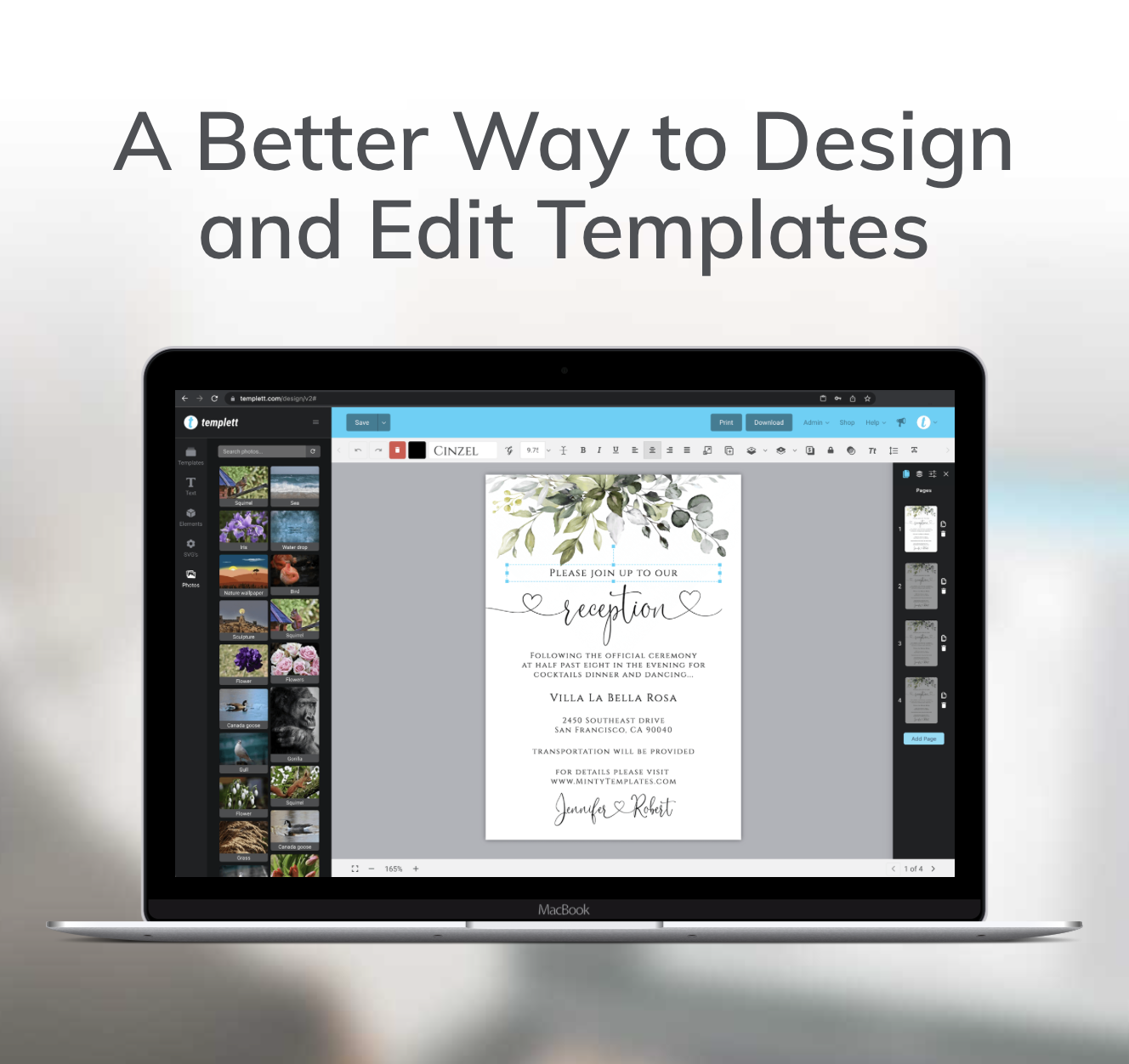
Templett makes it easy to work from an existing design and build on it.
Start with a ready-made template or one you’ve already created.
Then, customize the fonts, colors, and artwork to establish your holiday style.
From there, use those same design decisions as the foundation for your additional products.
As you create each template, think about what customers will need to personalize.
For invitations, that might include names, dates, and locations.
For menus, it could be food items and section headings.
For place cards, it might simply be the guest’s name.
By choosing editable elements carefully, you can make your products easier for customers to use while protecting the overall design.
How to List Your Holiday Products on Etsy
Once your collection is ready, think about how shoppers will discover it.
You can create separate listings for each product, using clear titles and preview images that show exactly what’s included.
You can also consider offering a coordinated bundle.
For example, someone shopping for a Christmas party invitation might also need a welcome sign and menu.
Showing matching products together can help shoppers see how they work as a complete set.
Make sure your listing images clearly demonstrate the design, editable features, and final result.
And if you offer a Templett demo, shoppers can explore the customization experience before purchasing.
Final Thoughts
Learning how to turn one Christmas template into multiple Etsy products is a simple way to make your design process more efficient.
Instead of constantly searching for new ideas, you can build on designs you’ve already created.
Start with one invitation, establish a cohesive visual style, and expand it into matching products.
With Templett, a few thoughtful design updates can help you create an entire collection of professional, customizable holiday templates.
Ready to build your next holiday collection? Try Templett and turn one design into more products for your Etsy shop.